
OCR turns an image into text; the rest is another task
On a scanned invoice, the details are initially part of an image. OCR tries to produce text from them. Quality depends in part on how readable the source is. A rotated, blurred or cropped image may cause missing or confused characters.
Even a perfectly read number sequence does not tell you whether it is an invoice, order or customer number. A document may show both supplier and buyer and several dates. Assigning meaning is another processing stage. If that goes wrong, the table can look just as neat as a correct output.
Focus your review on the fields used in the next step. If you are sorting invoices between two businesses, check the customer first. A typo in an item description may matter less here than a correctly read company ID placed in the wrong field.
Source for this section: Google: Convert PDFs and photographs to text
One correct amount can mean several things
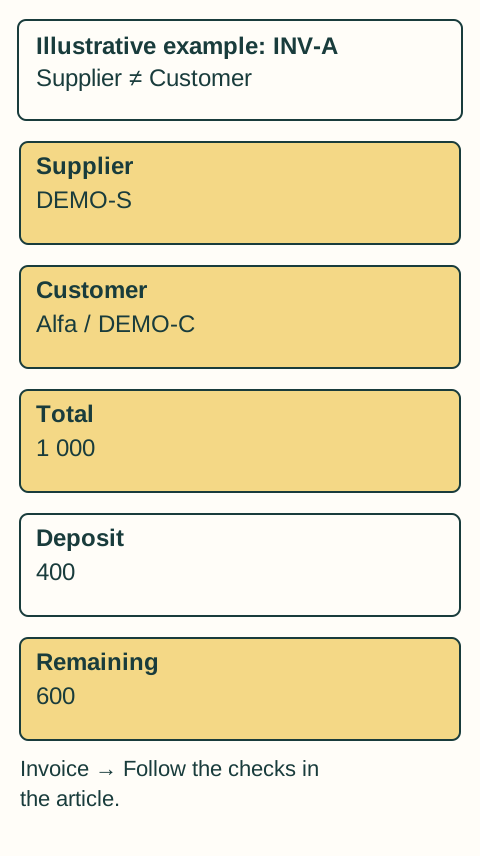
Imagine a document with a deposit, total price and remaining balance. The system reads all three correctly but selects the deposit as the main amount. This is not a misread digit; it is a misunderstanding of what the value represents.
An app can similarly confuse the supplier’s company ID with the customer’s. Both numbers are read correctly, yet the invoice goes to the wrong business. Check the label and location the system used, as well as the number itself.
Document layout is therefore more than graphic design. Headings, nearby labels and relationships between sections help establish whom or what a value concerns. If in doubt, open the original PDF and inspect the context.
Check what affects the next step
For document search and handover, establish relevance, ownership and destination. A person need not retype every invoice detail to verify classification. They do need to understand why the system selected a particular company or why it is uncertain.
HeyRup uses these details to find and sort documents and prepare them for your accountant. It does not create accounting entries or detailed analyses of purchased items. Your review therefore focuses on the right document and the business it belongs to.
If another tool prepares data for an accounting system, its review needs may be broader. Always judge the result by its intended task, not by the number of populated fields.
Uncertainty should lead to a specific question
A “needs review” label should tell you why: is the customer missing, could the invoice belong to two projects, or is it hard to read? That information lets you resolve the issue. A confidence percentage alone does not tell you what to do.
When you assign an invoice to Alfa, decide whether this is a one-time correction or a rule for future invoices. Before confirming the rule, check which other documents it will apply to. The same supplier may also invoice another business you own.
Automatic invoice recognition does not verify whether a payment request is trustworthy. A fraudulent document may have correct structure and readable details. Verify suspicious messages separately; “invoice” classification is not a security approval.